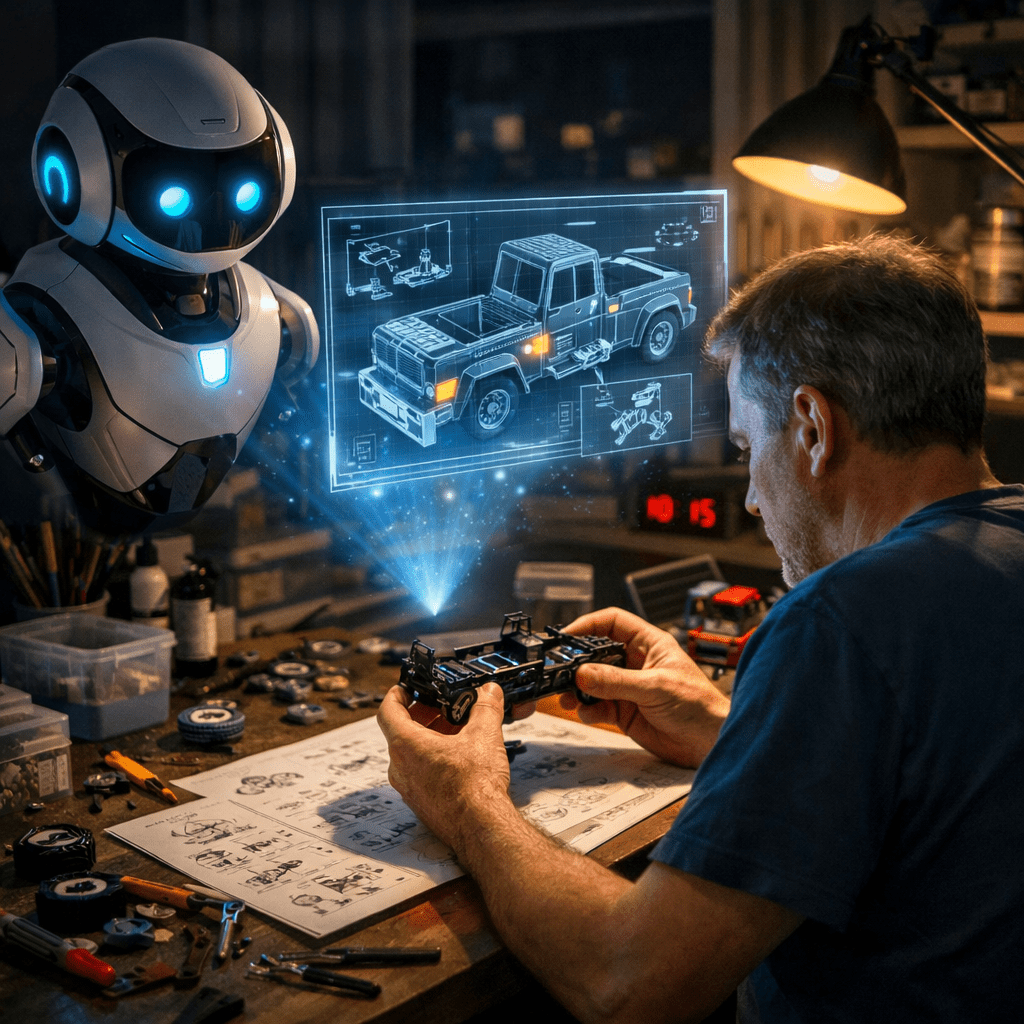
There is a moment every kit builder knows. It is ten o’clock on a Tuesday evening. You are forty-five minutes into assembling a new truck kit and something is not going right. The bolster will not seat flat. You have read the instruction sheet three times. The diagram is not quite answering the question you actually have. And calling us in the morning means your project sits on the bench until tomorrow.
We built something for that moment.
What Is the Kit Assembly Assistant?
The All Nation Line Kit Assembly Assistant is an AI-powered helper that lives right on our website. You type a description of your assembly problem — in plain English, the same way you would describe it to a fellow club member — and it answers you specifically, based on the actual ANL instruction sheets for your kit.
It is not a search engine. It is not a list of links. It reads the same assembly documentation we provide with every kit, and it uses that as its authority when it answers your question.
It knows the part numbers. It knows the drill sizes. It knows which screw goes where and in what order. If you are working on the Brill 27 MCB truck and your bearings will not seat, it will tell you to burnish the axle holes with a rat tail file — the same answer that is in the instruction sheet, but explained conversationally so you can act on it at your workbench right now.
Why We Built It
Many of you have told us over the years that you came to O Scale from HO or N because you needed to see what you were working on. The parts are bigger, the details are clearer, and the work is more satisfying when your eyes can keep up with your hands.
We took the same philosophy to this tool. The type is large. The page is easy to read. You do not need to navigate menus or click through multiple screens. You describe your problem, and an answer comes back.
We also know that calling or emailing for assembly help is not always convenient — especially in the evening or on a weekend when the workbench is calling. The assistant is available any time you are.
What Kits Does It Know About?
The assistant draws on the assembly documentation known as Skills for every kit in the ANL catalog. As of today a sampling below includes:
- Truck kits — Brill 27 MCB Non-Powered, Archbar, Andrews, Passenger (Commonwealth 6-wheel)
- Diesel locomotives — EMD F-3 Dual Road Diesel (A and B units), EMD NW2 Diesel Switcher
- Rolling stock — Boxcar, Hopper, Tank Car, Gondola, Flatcar, Caboose
It also handles general questions about painting and priming, NMRA O Scale gauging standards, adhesives and materials, and workbench setup for those just getting started with ANL kits.
We add new kit documentation as products are released, so the assistant grows alongside the catalog.
How to Use It — Step by Step
Step 1 — Find the assistant on the ANL website Digital Workbench link.
Look for the Kit Assistant link on our Digital Workbench page. It opens in your browser — nothing to download or install.
Step 2 — Describe your problem in the text box at the top of the page.

Write it the way you would say it out loud. There is no special format required. Some examples of questions that work well:
“I’m building the Brill 27 and my number 4073 bearings are too tight to press in. What should I do?”
“Which holes on the NW2 floor plate are the ones marked X for the nose end? I don’t want to put the bolster in backwards.”
“My F-3 sides won’t draw together cleanly at the tongue and groove joint. The right side is a little high.”
“I just finished the Andrews truck and one wheelset is binding. The other three roll fine.”
Step 3 — Press the Send button. 
The assistant takes a moment to think, then replies directly in the conversation area above the text box. The answer will reference your specific kit and your specific parts by number.
Step 4 — Follow up if you need to.
You can ask follow-up questions in the same session, just like a back-and-forth conversation. If the first answer does not fully resolve the problem, describe what you tried and what happened. The assistant remembers what was already discussed in your session.
A Few Things Worth Knowing
Take your time writing.
The text box behaves like a word processor — pressing the Enter key starts a new line, it does not send your question. Write out your full description before pressing Send. The more detail you give, the more specific the answer will be.
Sessions are limited to twelve questions.
This is a practical limit that keeps the service running reliably for everyone. In our experience, most assembly problems are resolved in three to five exchanges. If you are approaching the limit and still need help, the assistant will let you know and suggest contacting ANL directly.
It knows the ANL documentation — not every product ever made.
If you ask about compatibility with equipment from other manufacturers, the assistant will be candid about what it can and cannot confirm. It will not guess, and it will tell you what measurement to take on your equipment to verify fit yourself.
It is not a replacement for the instruction sheet.
Think of it as a companion to the instructions — a knowledgeable friend who has read them thoroughly and can help you apply them to the specific problem in front of you at your bench.
When to Contact Us Directly
The assistant is designed to handle most workbench questions, but some situations call for a human response. Please reach out to us directly at allnationline.com if:
- You have received a part that appears to be structurally defective or dimensionally wrong
- The assistant has directed you to contact us
- Your question involves a powered locomotive and an electrical problem that the troubleshooting steps did not resolve
- You want to discuss a custom or modified application of our parts
We are always glad to hear from our customers, and a direct conversation is sometimes simply the right tool for the job.
Give It a Try
The next time you are at the workbench with a question, give the assistant a try before you set the project aside for the night. It is there at ten o’clock on Tuesday the same as it is at noon on Saturday.
We have been making O Scale 2-Rail equipment since 1923. The knowledge that goes into every kit now has a way to talk back.
Find the Kit Assembly Assistant at allnationline.com
Final Thoughts
Model builders of all experience levels constantly are developing their skills. As craftsman, we become “skillful”. We learn modeling skills by solving problems and innovating solutions on our own or from other folks that share their work by giving clinics or YouTube video talks. The Workbench Digital Platform Assembly Kit Assistant intelligence is a large set of kit skill files that gives the artificial intelligence engine the context it needs to provision and curate appropriate accurate responses to described problems. Like any business, there are standard operating procedures or order of processes and standard work instructions not unlike the assembly instructions that come with a kit. Typically we as model builders will build a kit one time and may never repeat the instructions a second time. But along the way, questions may arise and so this tool could aid in resolving situations that arise.
Given we are still testing these tools and installing more skill sets, the tool should improve and become more expert to work along side of doing your model projects. Consequently, we always look forward to get your feedback, suggestions or potentially something that is not working just right with the system so we can refine the tool. It is our hope this tool will also be useful to the scratch builder as time goes on.